Control and automate your Android phones from your PC
AppsMobs shows the screens of your phones on your computer. Control them, then automate them with Python or simple blocks.
Windows 10/11 · USB or emulator · 100% local
1Plug in your phones
01The superpower
One PC, all your Androids, and not one repeated tap.
AppsMobs puts every phone on your screen, replays your gestures on all of them at once and learns to recognise what it sees. You show it once. It repeats as often as you want.
Hover or tap the glowing dots to read the screen.
02Who it's for
Your field changes. The superpower doesn't.
Pick your profile: here is what AppsMobs actually does for you.
# daily reward, on every phoneopen_app("com.example.rewards")wait_image("claim.png")tap_image("claim.png")random_wait(4, 9)What happens
- Opens the app on all your phones at once
- Taps “Claim” as soon as the button shows up
- Waits a random delay, then goes again
Schedule it: every 30 minutes, or every night at 3 am.
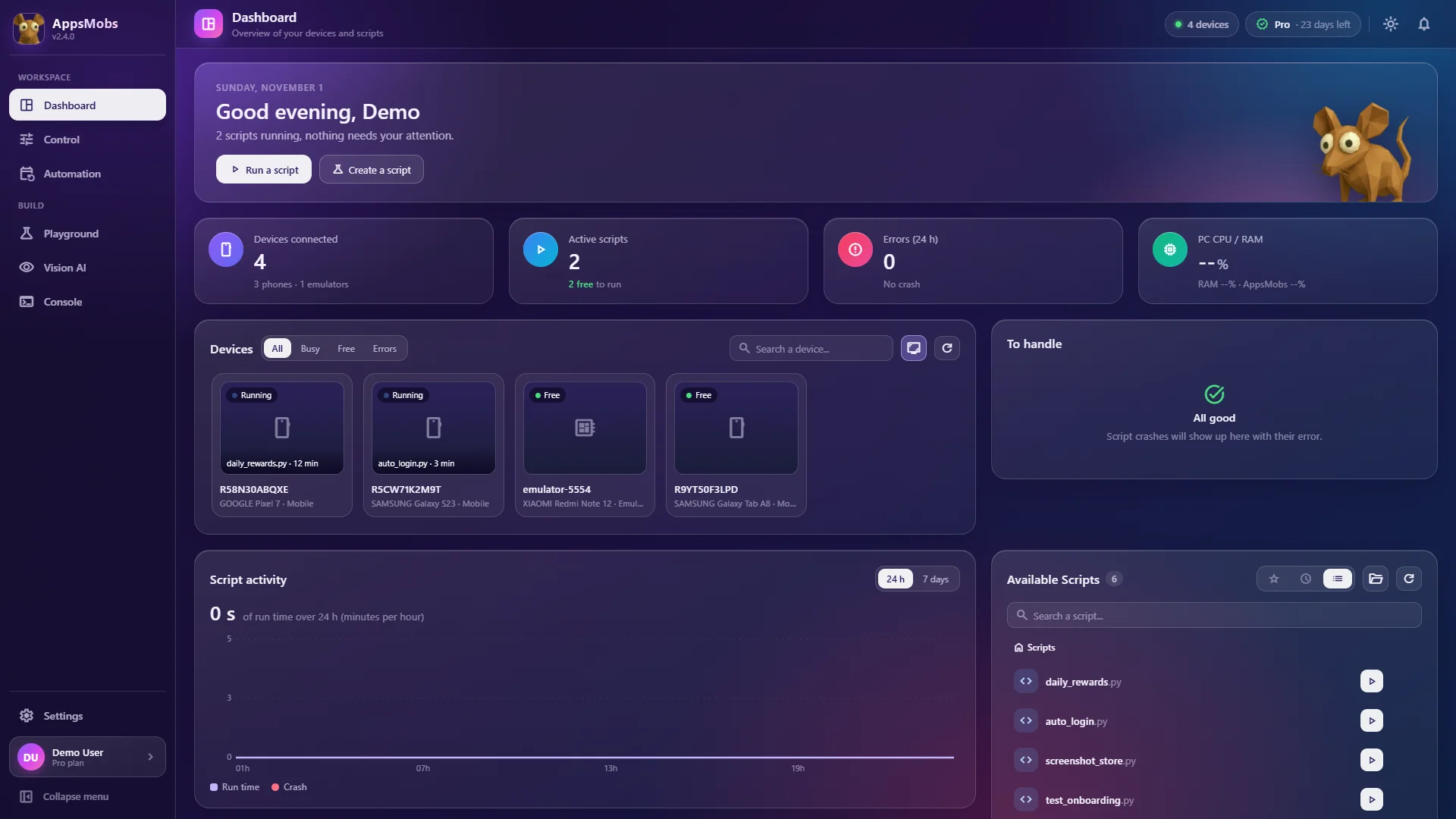
Everything is in one window
These are real screenshots. Pick a page of the sidebar.
Your phones and scripts at a glance
- See every connected phone and its status
- Start a script on one or several phones
- Find your scripts in one list
03Get started
From zero to autopilot in four steps.
Install AppsMobs
Setup or Portable build, on Windows 10 or 11. Updates install themselves.
DownloadTurn on USB debugging
On the phone: developer options, then USB debugging. You only do it once.
Read the guidePlug in your phone
Data cable (or an LDPlayer emulator). Accept the prompt: its screen shows up in the app.
Run your first script
Open the Playground, start from an example, hit Run. You just delegated.
Read the guide
04Pricing
One question: how many phones?
No watermark, no per-run fees. Starter at €9 for one month doubles as a trial, and you can stop whenever you like.
Tap how many phones you want to run
05Trust
No empty promises. Facts you can check.
You're not alone with your script.
On the AppsMobs Discord: ask questions, share scripts, catch new features before anyone else.
A question before buying?support@appsmobs.com
A Windows application that connects to your Android devices and runs automations on them — written in Python, assembled from blocks, or driven by a computer-vision model you train yourself.
Give your phones a superpower.
Plug in a phone, run an example. From there, it does the rest.
Windows 10/11 · USB or emulator · 100% local