Vision AI · Pro and Ultimate
Teach it what a button looks like. Once.
Coordinates break when the layout changes. Selectors break when the app is a game. Vision AI looks at the image, finds the thing and taps it, from screenshots you already have.
- 100% local training
- Exportable YOLOv8 models
- No dataset uploaded
Experiment
Fixed coordinates versus vision AI.
Move the button, change the layout: see who keeps up. You can also drag it with your mouse or finger.
Fixed-coordinate tap
Hit
Vision AI
Hit
Teaching simulation. In real life, accuracy depends on the quality and variety of your screenshots.
In the app
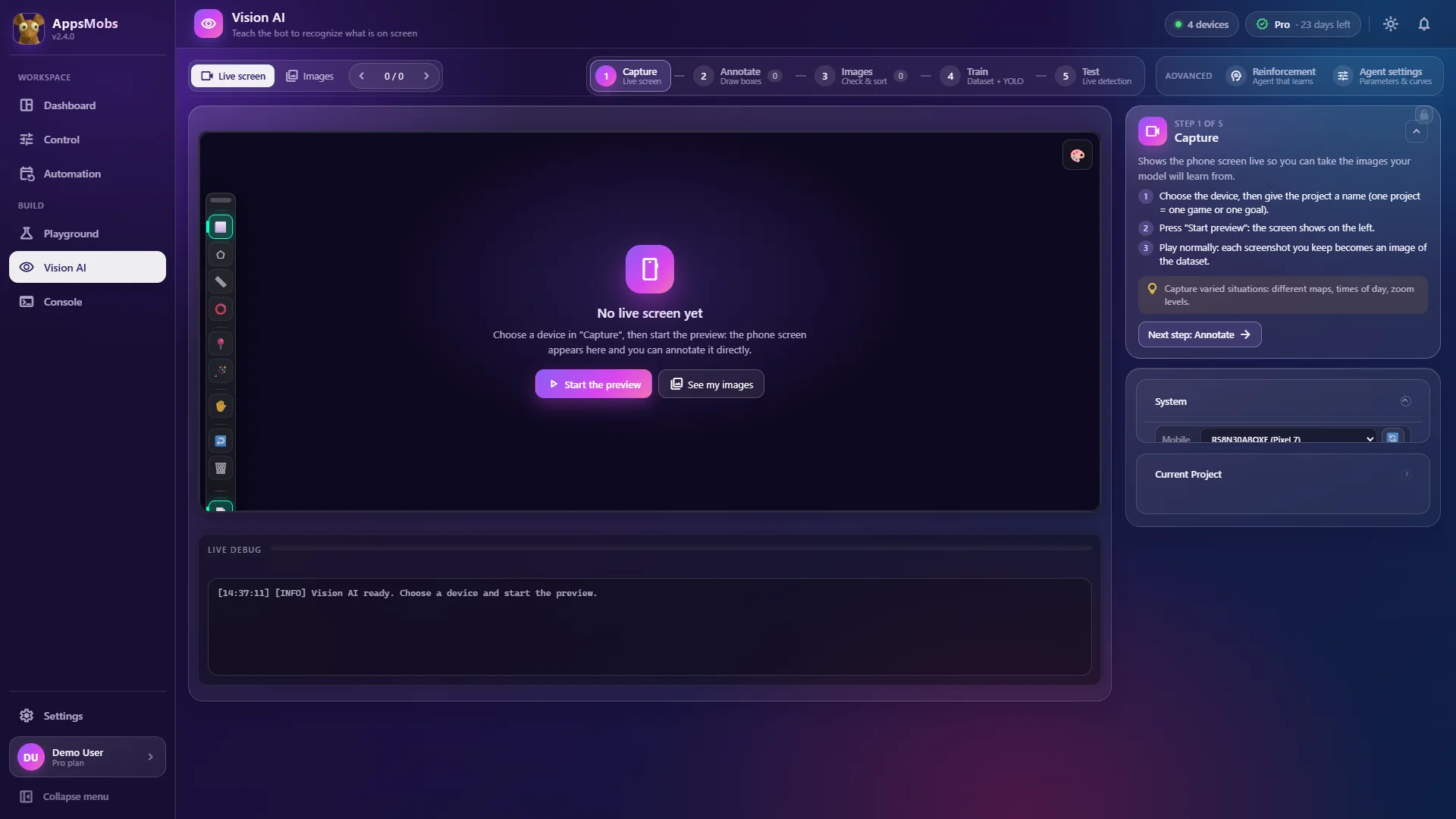
The whole journey, on one screen.
Real screenshot of the Vision AI screen, version 2.4. Click the dots.
Point 1 of 5
The five steps
Capture → Annotate → Images → Train → Test. The full journey, in order.
The loop
From screenshots to a detector that works.
01
Capture
Grab images straight from a plugged-in device, or import an existing folder. Fifty varied images beat five hundred identical ones.
The right tool
Vision AI isn't always the answer.
It costs you a dataset and a training run. Pick your situation, we'll tell you the simplest tool.
Vision AI
The model recognizes the thing, not its position.
In a script
Detection reads like a function.
Load your model, detect, tap. The rest of your script doesn't change.
from appsmobs import device, vision

# weights trained in the app, living in your project folder
model = vision.load("rewards_v3")

d = device.first()
boxes = model.detect(d.screenshot(), classes=["claim"], confidence=0.85)

for box in sorted(boxes, key=lambda b: -b.confidence):
    d.tap(box.center)
    if d.wait_for_text("Collected", timeout=6):
        break
Questions about Vision AI
No. Labeling, training and inference run locally. The dataset and weights live in your project folder and are never uploaded.
Your first target, detected tonight.
Vision AI is included in the Pro and Ultimate plans.